In addition to our daily catered lunch, we offer a full salad bar most days, freshly made soups and sandwiches, and other items on our a la carte table.
Watch for an activation email from Orah with the subject “Wheaton Academy – Welcome to Orah,” arriving the week of August 17. It’s sent from no-reply@orah.com, so check your spam folder if you don’t see it.
Click the login button in that email. It will take you to your OnCampus login page. Enter your Parent OnCampus credentials to link your new Orah account to your Parent OnCampus account.
Reporting Absences in Orah
Once your account is active, you can report an absence two ways:
On your phone: open the Orah app and log in with your Parent OnCampus credentials.
On your laptop: log into OnCampus with your Parent credentials and click the Orah tile.
From there:
Select the student you’re reporting for.
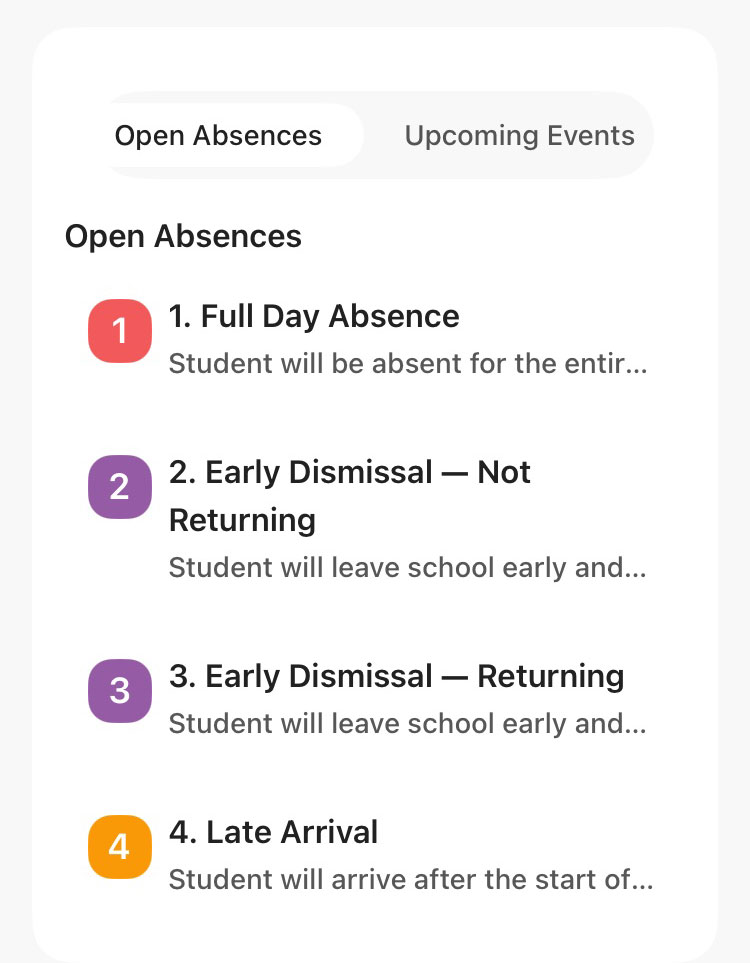
Choose one of four options: full day absence, early dismissal – not returning, early dismissal – returning, or late arrival.
If you still prefer to call and leave a message about your student’s absence, you may call our attendance line (630-562-7500 x1), choose the attendance prompt, and leave a message.